AI and Machine Learning
Symptom-to-Specialist Routing: Send Patients to the Right Door
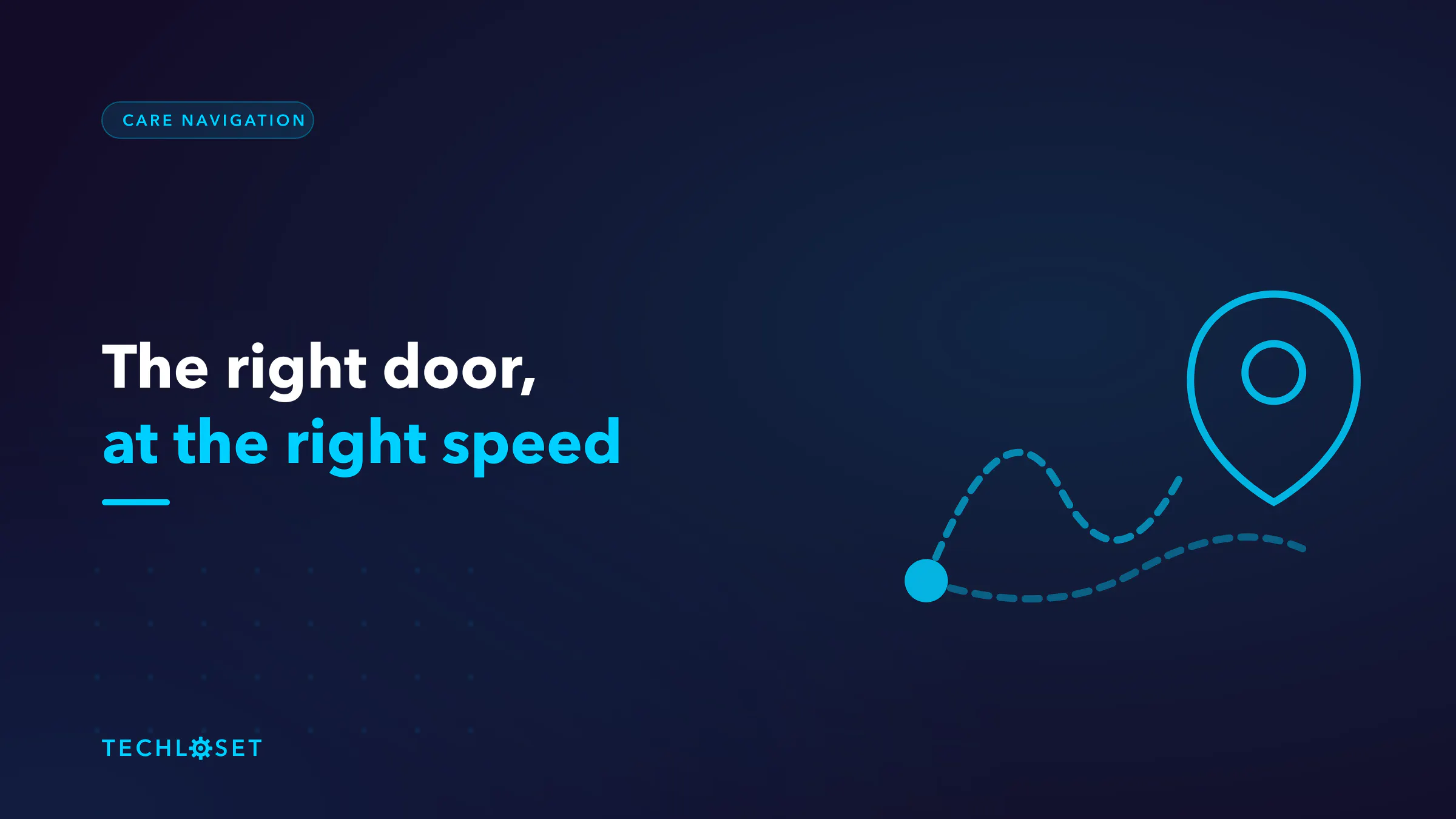
Patients guess which doctor to see, and often guess wrong. How routing picks the right door at the right speed — and the safety rules that make it defensible.

5 min read
A patient with numbness in one hand books a neurologist. It was a compressed nerve at the wrist, and an orthopaedist could have handled it in one visit. Six weeks of waiting, one wasted consultation, one referral, and a patient who now believes the system is a maze.
Run the mistake the other way and it is worse: someone books a routine GP slot for chest pain that belonged in an emergency department this afternoon.
Symptom-to-specialist routing is the layer that answers "who should I actually see, and how urgently" before a booking gets made. It is a genuinely useful piece of software and a genuinely risky one, and the difference is entirely in how the urgency question is handled.
The cost of guessing
Patients self-refer with almost no information to go on, and the errors are systematic:
- The wrong specialty, which means a wasted appointment, a delay of weeks, and a slot taken from someone who needed it.
- The emergency department as a default, because it is the one door nobody has to choose correctly. Expensive for the payer, slow for the patient, congesting for everyone behind them.
- Delay, the serious one. Uncertainty about who to see is one of the most common reasons people wait, and for time-sensitive conditions the wait is the harm.
Note that routing does not require diagnosing anyone to fix most of this. Getting someone to the right category of clinician, at roughly the right speed, captures the value.
How routing works
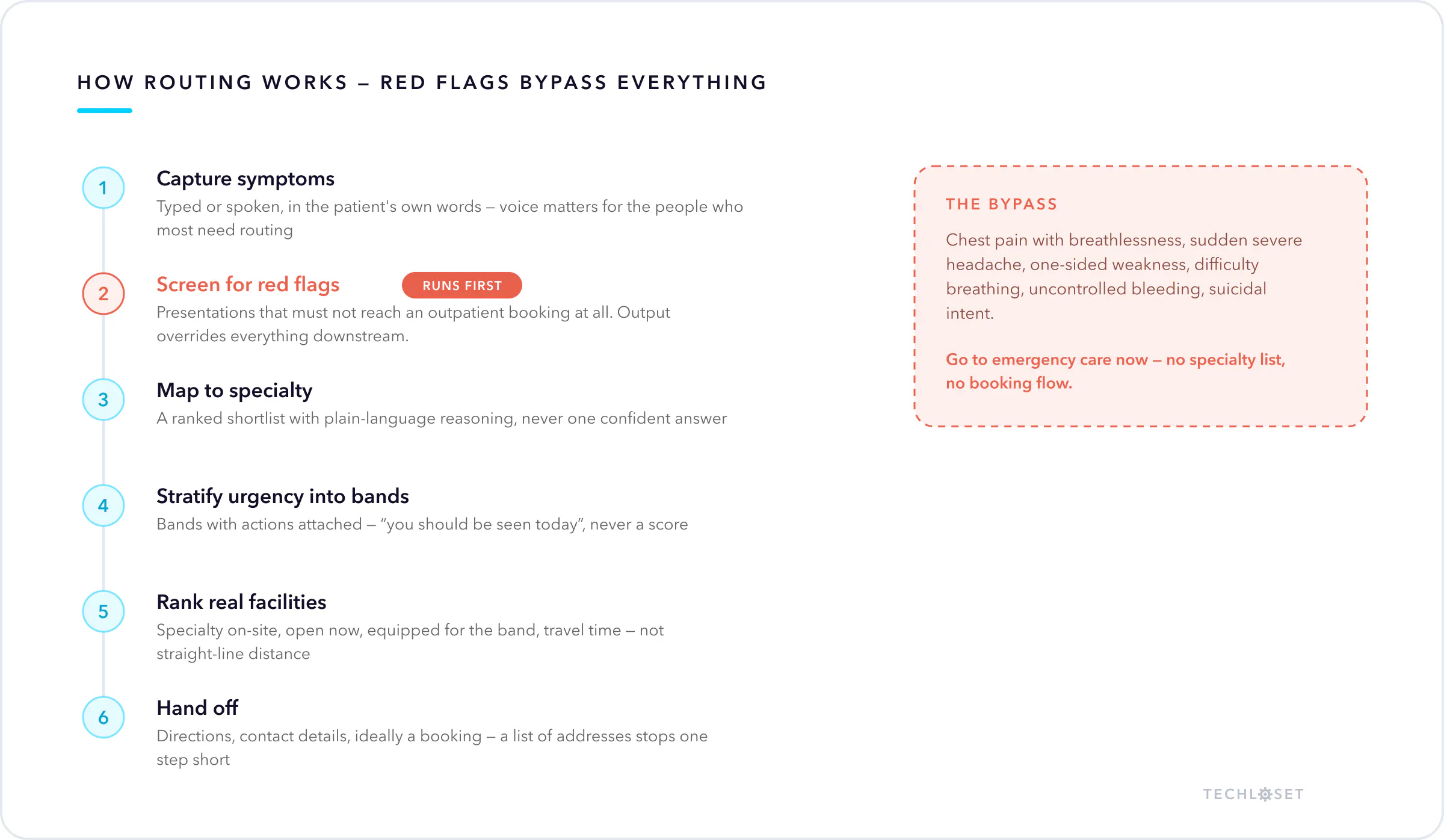
1. Capture symptoms. Typed or spoken, in the patient's own words — "my shoulder's been killing me since I slept on it wrong". Free text handles what a dropdown cannot, and voice input matters more than it looks: the people least able to navigate a symptom form are often the ones who most need routing.
2. Screen for red flags first. Before any specialty logic runs, check for presentations that must not be routed to an outpatient booking at all. Chest pain with breathlessness, sudden severe headache, one-sided weakness or facial droop, difficulty breathing, uncontrolled bleeding, suicidal intent. This check runs first, always, and its output overrides everything downstream.
3. Map to specialty. Now the actual routing: symptom presentation to the clinical specialty most likely to handle it. Return a ranked shortlist with plain-language reasoning ("hand and wrist symptoms are usually handled first by orthopaedics"), not one confident answer. A shortlist invites the patient to apply context the system does not have.
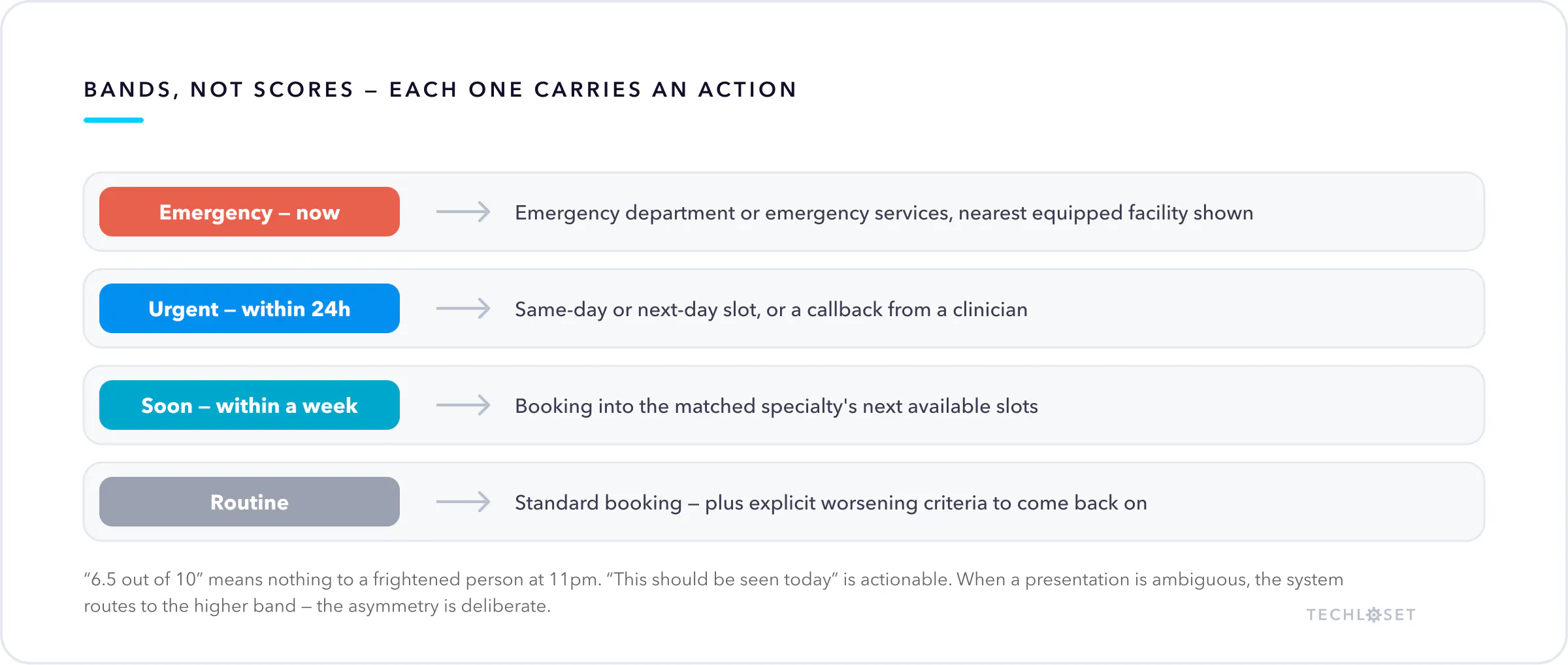
4. Stratify urgency into bands. Not a score — bands with actions attached. Emergency now · urgent, within 24 hours · soon, within a week · routine. A number from one to ten means nothing to a frightened person at 11pm; "this should be seen today" does.
5. Rank real facilities. Where routing becomes practical. Distance alone is a bad ranking, and it is the one most apps ship. A useful ranking weighs whether the facility actually has that specialty, whether it is open, whether it is equipped for emergencies when the band says emergency, travel time rather than straight-line distance, and quality signals where reliable data exists.
6. Hand off. Directions, contact details, and ideally a booking — routing that ends at a list of addresses has stopped one step short. Booking is its own build.
The rules that keep it safe
This is the part that is not negotiable, and it is what separates a care-navigation tool from a liability.
It routes, it does not diagnose. The output is a specialty and an urgency band. Never a condition name, never a probability of disease, never a treatment suggestion. "Orthopaedics, within a week" is a routing decision. "Likely carpal tunnel syndrome" is a diagnosis, and it is not yours to make.
Red flags bypass the entire product. When emergency criteria are met, the app stops being a routing app. It says go to an emergency department now, or call your local emergency number, and it shows the nearest facility equipped to handle it. No specialty list, no booking flow, no "you may also wish to consider". Anything that adds a step there is a design defect.
Err toward more care, never less. When a presentation is ambiguous, route to the higher urgency band and the broader specialty. The cost of an unnecessary visit is money. The cost of a missed urgent presentation is not comparable, and the asymmetry should be visible in the thresholds.
Say what it is, in plain words. Guidance to help choose where to go, not medical advice, and not a substitute for a clinician. Once, clearly, where people read it — not buried in terms of service.
Log every routing decision. Inputs, red-flag results, output band, what the patient did. You need it to audit the tool, and you need it to improve it.
FAQ
Is this a symptom checker? No, and the distinction matters. Symptom checkers try to name what you have. This decides which category of clinician to see and how fast — a narrower question with a far better safety profile and, for most patients, more practical value.
How is it different from triage? Overlapping but distinct. Triage sorts urgency, usually inside a provider's own front door. Routing answers which specialty and which facility, usually before the patient has chosen a provider at all.
What about location data? Coarse location is enough for facility ranking, so ask for coarse. Combined with symptom text it becomes health data — consent explicitly, minimise retention, and never keep a location history for a routing query that is finished.
Does the facility data stay accurate? This is the maintenance burden people underestimate. Hours change, specialties close, emergency capability varies by time of day. Stale facility data is the most likely way this tool sends someone somewhere useless, and it needs a refresh process from day one.
Can it work offline? Red-flag screening should. Emergency guidance is exactly what a patient needs when connectivity is poor, so ship those rules on the device.
Where we fit
We build care-navigation systems with the safety logic first — red-flag screening that overrides the product, urgency bands tied to actions, facility ranking on live data, and hard limits on what the output is allowed to claim.
If you are scoping routing or navigation, book a call. The first thing we will pressure test is your red-flag path, because that is the part that has to be right before anything else is worth building.