AI and Machine Learning
AI Voice Bot for Appointment Booking: Every Call Answered
An AI voice bot answers on the second ring, books into your real calendar, and hands off the moment a call stops being about booking. What makes that work.

5 min read
The call that costs you most is the one nobody picked up. A patient rings at 6:40pm, gets four rings and voicemail, hangs up, and calls the practice down the road. Nothing about that appears in your system. There is no missed-call report line item labelled "revenue that went elsewhere."
An AI voice bot for appointment booking answers that call. Not a phone tree, not a message taker — it identifies the caller, checks real availability, books the slot, and confirms. Then it hands to a human the moment the conversation stops being about booking.
The concept is easy. Three things make it work or fail: latency, integration, and knowing when to stop.
What a good call actually sounds like
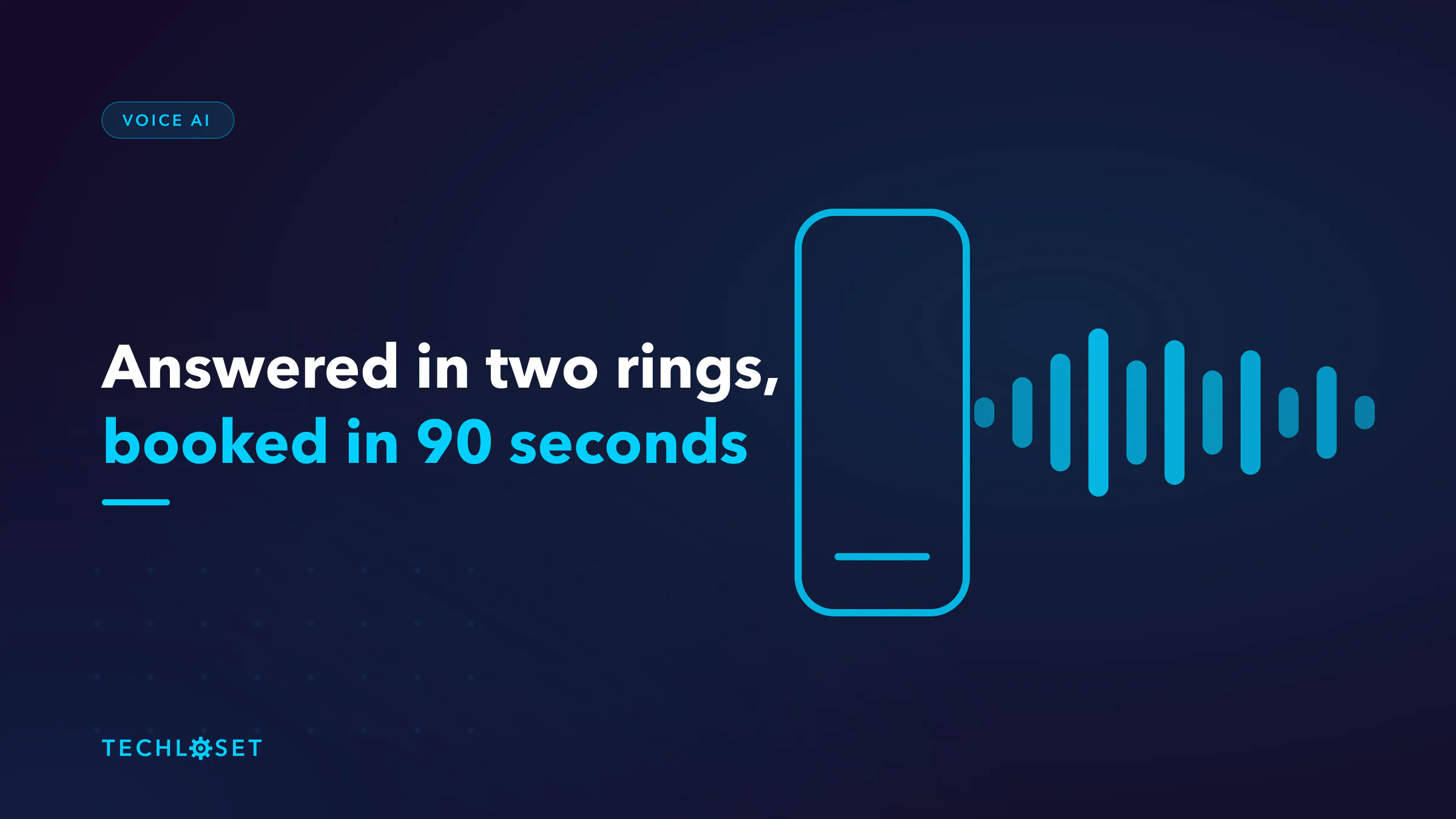
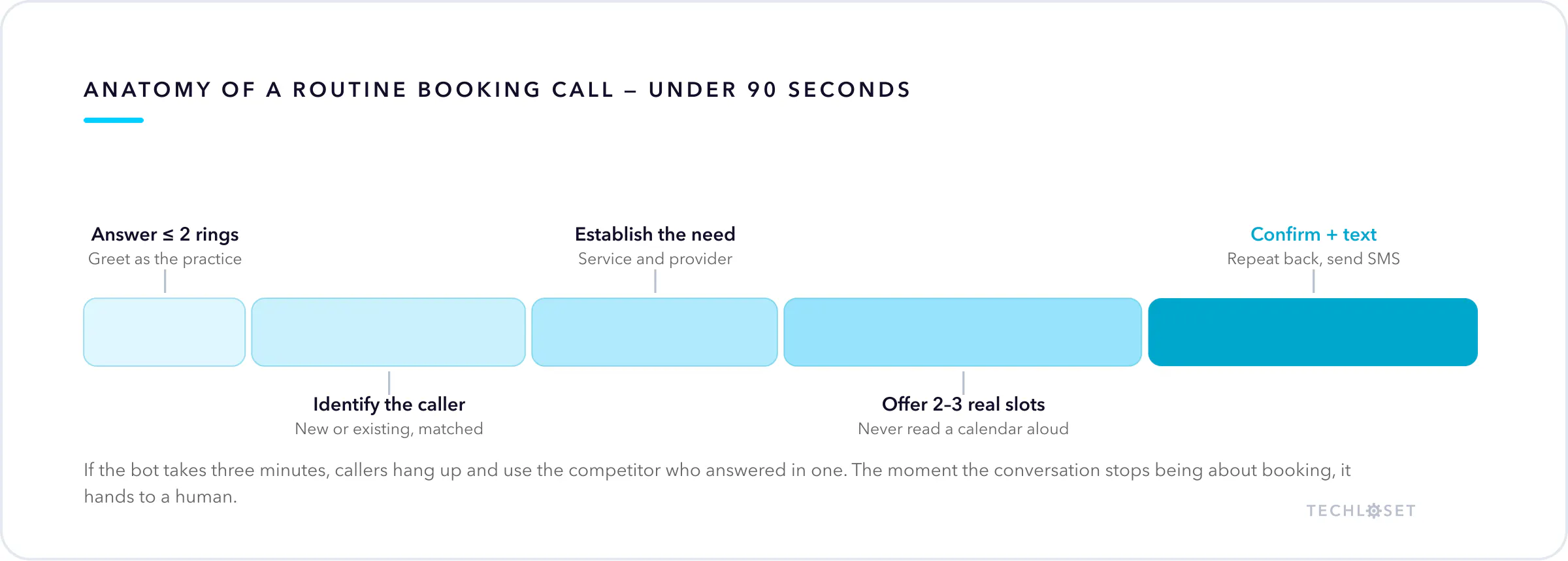
Answer inside two rings. Greet as the practice, not as a robot pretending to be a person named Ashley. State what it can do in one sentence, because callers cooperate with a system whose limits they understand.
Then: identify the caller — new or existing, matched against the record. Establish what they need and which provider or service it maps to. Offer two or three real slots rather than reading a calendar aloud. Confirm the booking, repeat it back, and send a text confirmation before the call ends.
Total: under ninety seconds for a routine booking. If your bot takes three minutes, callers hang up and use the competitor who answered in one.
Latency is the feature
This is what separates voice from chat, and it is the thing most teams underestimate.
Human conversation tolerates about a 200–300ms gap. Past roughly 800ms, callers assume the line dropped and start talking over the bot. The budget has to cover speech recognition, the model's reasoning turn, any API calls to your calendar, and speech synthesis — end to end, per turn.
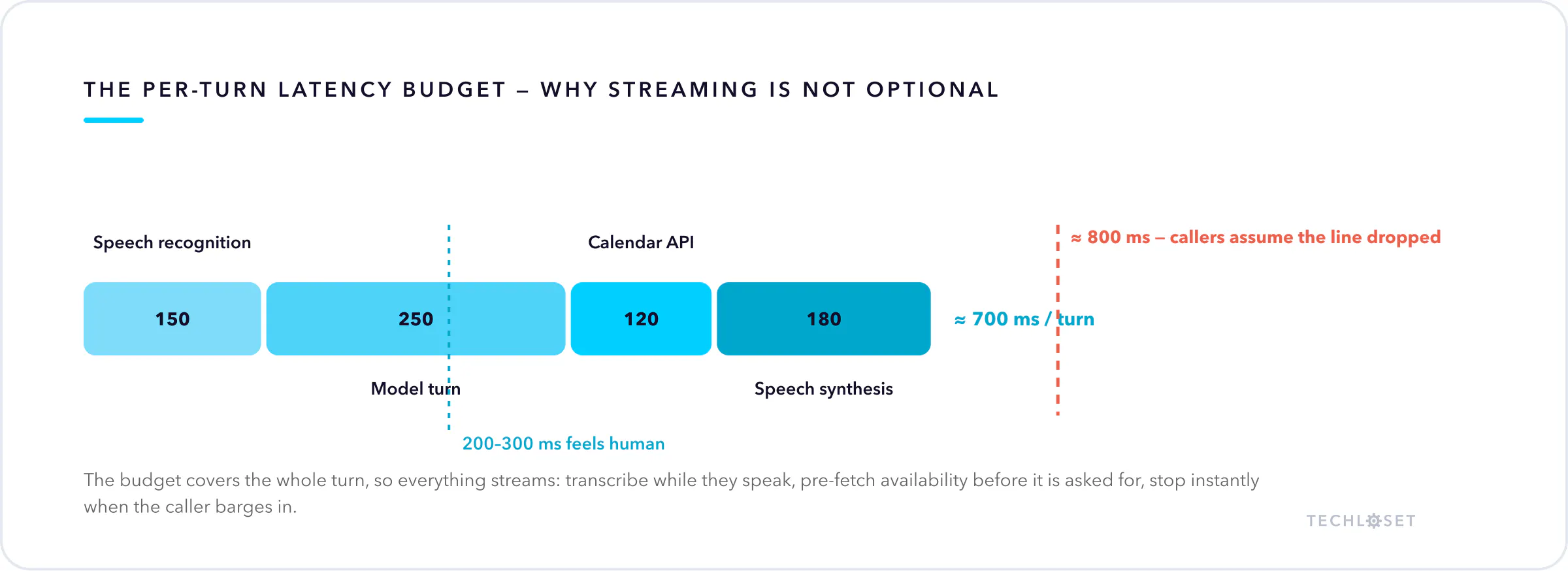
That budget dictates the architecture:
- Stream everything. Transcribe as they speak and begin synthesising the response before the full text exists. Nothing waits for a complete turn.
- Pre-fetch availability. Do not call the scheduling API after the caller asks. Have the next two weeks warm before the conversation reaches that point.
- Handle interruption properly. Callers cut in. The bot must stop talking instantly, discard its queued speech, and listen. Barge-in handling is the single biggest difference between a bot that feels natural and one people fight with.
- Fill silence honestly. If something genuinely takes two seconds, say "let me check that" — dead air reads as a dropped call.
The integration is most of the work
The conversation is the demo. The integration is the product.
Availability and booking through your practice management or scheduling API. Read real availability including buffers, provider rules, and appointment-type durations, then write the booking back so it appears in the same calendar your front desk uses. Two calendars is a failed deployment.
Patient lookup and creation via FHIR — find the existing Patient record, create one when the caller is new. This is harder over the phone than it sounds: names get misheard, dates of birth get mumbled, and duplicate patient records are a genuine harm. Confirm identity with two matching fields, spell names back, and route to a human rather than creating a speculative duplicate.
Insurance validation, at minimum eligibility and an in-network check. Catching "we don't take that plan" on the call is enormously better than discovering it when the patient arrives — for them and for your no-show rate.
Confirmation and reminders over text, because the caller will not remember the details. The messaging side is covered here.
Knowing when to stop
The most important design rule: the bot books appointments, and does nothing else.
It does not assess symptoms. It does not answer questions about medication, results, or whether something is serious. It does not talk anyone out of coming in. Triage is a separate build with separate safety requirements, and merging the two is how a booking tool becomes a clinical liability.
So define escalation explicitly. Hand to a human — or to an emergency instruction — when:
- The caller describes anything urgent. Chest pain, breathing difficulty, severe bleeding, one-sided weakness. The bot stops and says call emergency services, immediately, before anything else.
- The caller asks for clinical advice.
- The caller asks for a human. First time, no argument, no retention attempt.
- Identity cannot be confirmed.
- The bot has failed to understand twice. Two strikes, then a person.
Escalation is not failure. A bot that handles 70% of routine bookings cleanly and passes the rest along is worth far more than one that attempts everything and mishandles the calls that mattered.
Where the return actually comes from
Not staff replacement — coverage. After-hours and lunchtime calls, the overflow when three lines ring at once, and the calls that arrive while your front desk is with a patient in front of them. Those are the calls currently going to voicemail, and voicemail converts poorly.
Measure two things: calls answered versus previously abandoned, and bookings completed without human touch. Both are countable from day one, which means you can tell whether this is working instead of believing it is.
FAQ
Do callers realise it is AI? Usually, quickly. It does not matter much if it is fast and it works. It matters a great deal if it pretends to be human and then fails — that is where complaints come from. Be straightforward.
What about accents and background noise? The real deployment condition. Test on recordings from your actual patient population, not a studio. Expect a lower containment rate and a faster escalation threshold than any vendor demo implies.
Is it HIPAA compliant? It can be, and it must be: encrypted transport, BAAs with every vendor touching audio including the speech and model providers, audit logging, and a retention policy on recordings. Ask specifically who has a BAA — the gap is usually a subprocessor.
Can it call patients as well as answer? Technically yes, and outbound has stricter consent rules. Start inbound; that is where the abandoned revenue already is.
How long to deploy? The conversation is quick to build. Scheduling and EHR integration, plus a supervised period where a human monitors live calls, set the real timeline.
Where to start
Scope the first release hard: booking, rescheduling, identity confirmation, basic insurance validation. Nothing clinical, nothing exotic. Run it after-hours only for the first weeks, where the alternative is voicemail and the downside is nearly zero, then extend into business hours once the containment rate holds.
This is one channel of a front desk that should cover all of them — the same engine behind our AI receptionist work. If calls are going to voicemail during your busiest hours, book a call and bring last month's call log; the abandoned-call number usually makes the case on its own.